Manage Fonts Beautifully.

Fontager replaces the aging Windows fontview.exe with a lightning-fast native previewer, alongside a comprehensive library manager for creative professionals.

Available Now Fontager Viewer Logo

Fontager Viewer

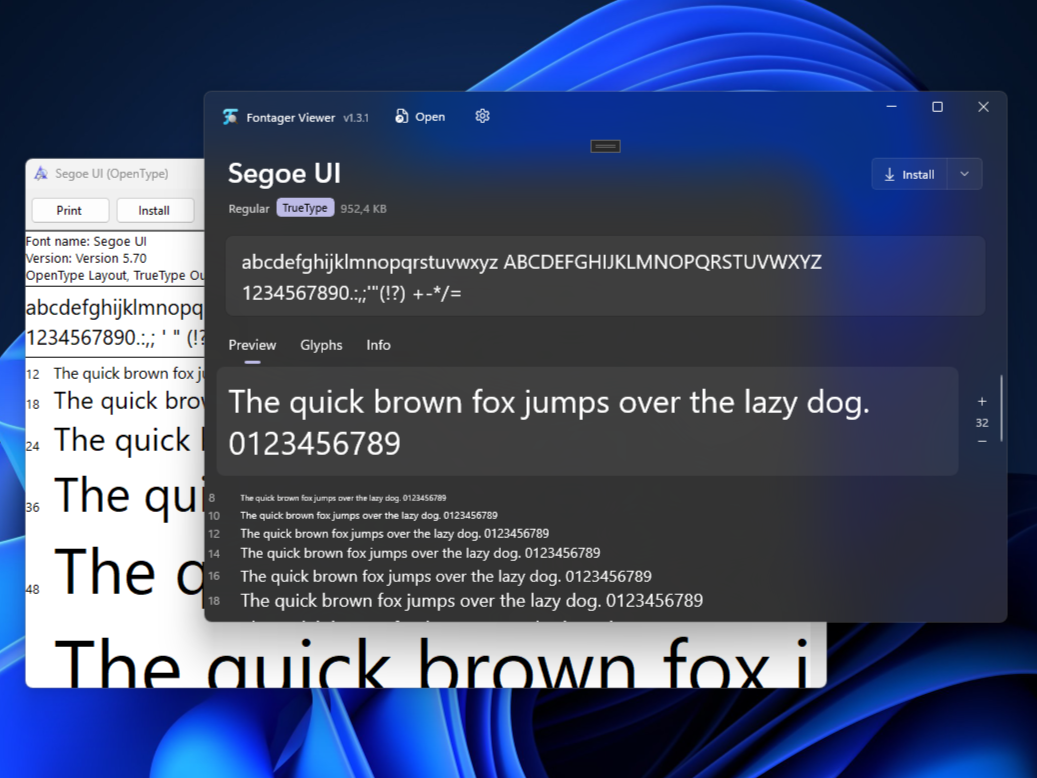
A lightning-fast, ultra-modern replacement for the aging Windows fontview.exe. Instantly preview your .ttf, .otf, .ttc, and .woff2 files without installing them to the system. Features a sleek WinUI 3 interface, instant metadata inspection, and effortless installation directly into Windows.

Download Viewer
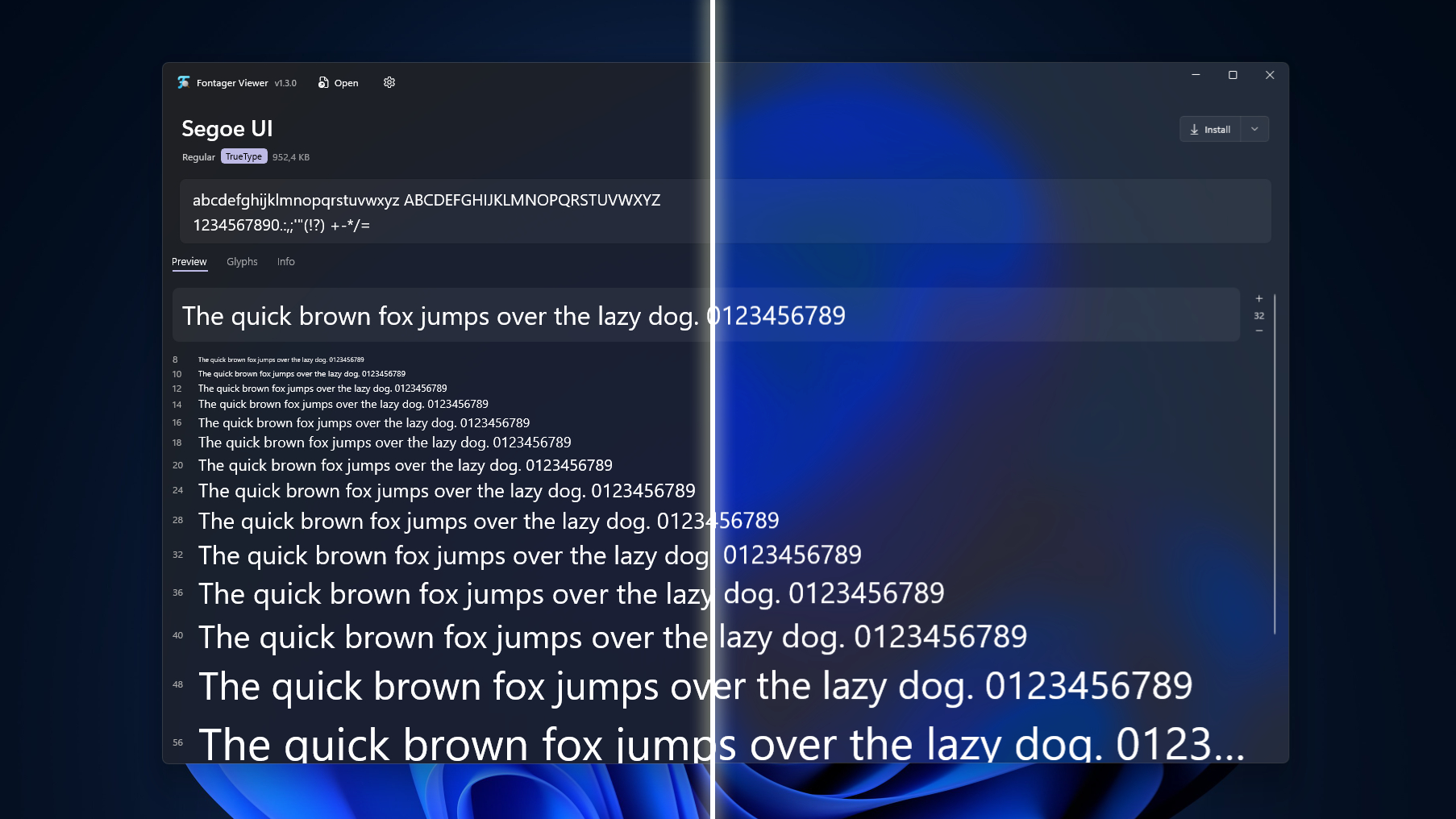
Fontager Viewer Interface
In Development Fontager Manager Logo

Fontager Manager

A fully-featured, professional font management library. Organize massive collections, temporarily activate fonts, sync with cloud services (like Google Fonts), and manage your design studio's typography with intelligent tagging and sorting features.

View Roadmap
Fontager Manager Preview

Viewer Capabilities

Fontager Viewer is packed with features to inspect and install your fonts effortlessly.

Instant Preview

Lightning-fast previews of .ttf, .otf, .ttc, and .woff2 files without requiring system installation.

Waterfall View

Preview typography at multiple sizes simultaneously to check readability across different scales.

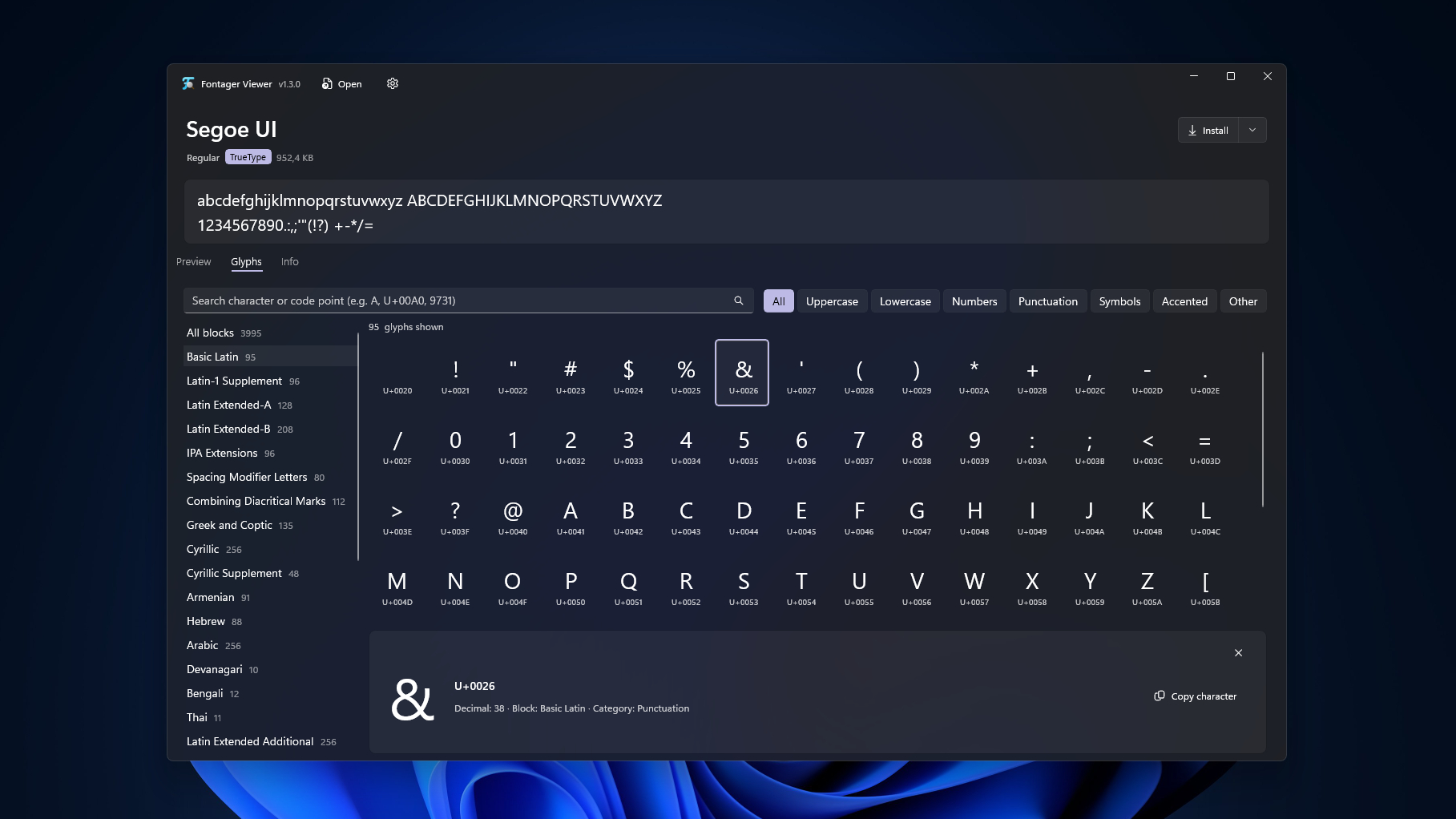
Glyph Grid

Browse every character with Unicode code points, smart block filters, and search capabilities.

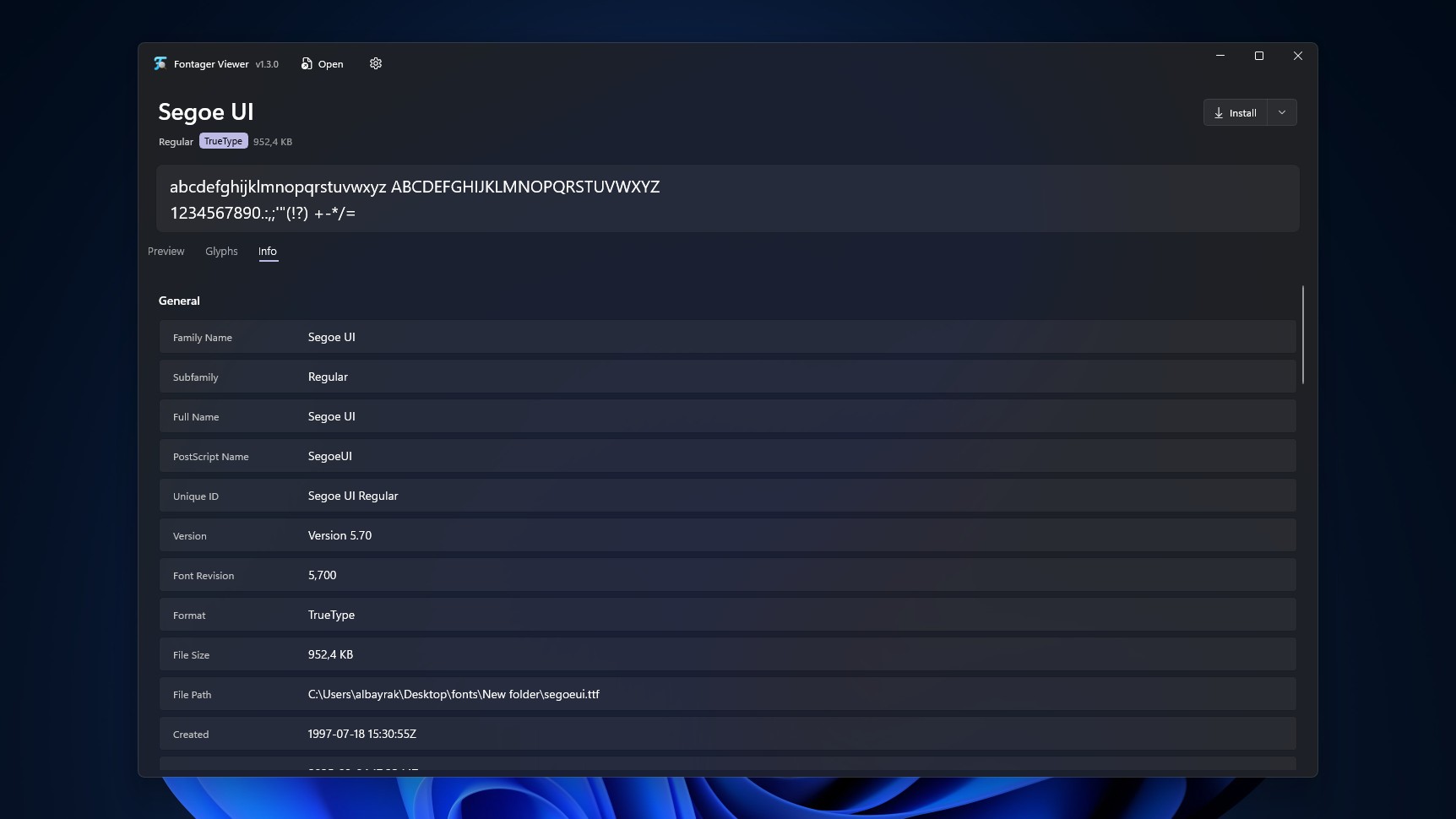
Deep Metadata

Examine family properties, designer details, licenses, versioning, OS/2, and head tables directly.

Drag & Drop

Simply drop font files onto the application to instantly load, inspect and manage them.

System Integration

Set as default font handler, install for current user or all users seamlessly with proper UAC.

Native UI

Modern WinUI 3 Design

Built exclusively for Windows 10 & 11, Fontager leverages the latest Windows App SDK. Enjoy smooth Mica and Acrylic backdrops, fluid animations, and a design language that feels native to your operating system while performing incredibly fast.

Fontager Interface
Coverage

Complete Glyph Coverage

Don't be limited by basic Latin previews. Fontager accurately reads cmap tables (formats 0, 4, 6, 12) to show exactly what a font contains, complete with category and block filters. Ideal for finding hidden symbols and inspecting multi-language fonts.

Glyph Grid
Inspection

Extensive Metadata Inspector

Dive deep into font internals with our custom binary FontParser. Check typographic family names, licensing details, Panose classifications, and supported Unicode ranges all without relying on external libraries.

Metadata Panel
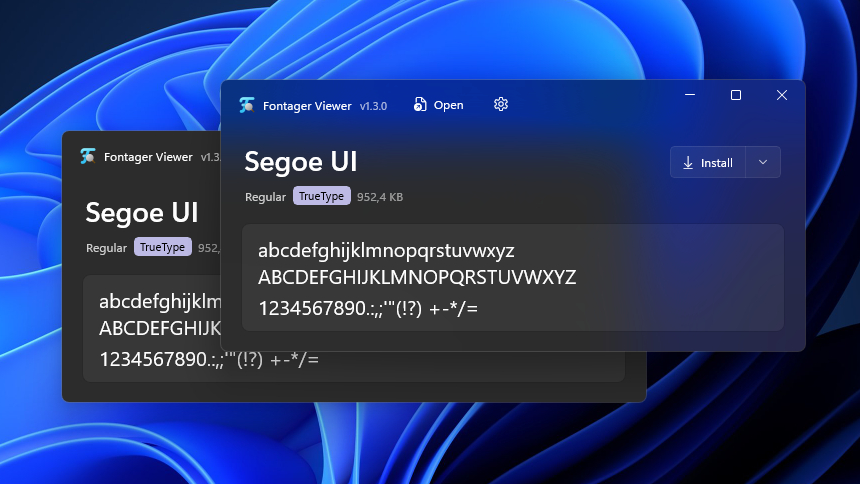
Compact UI

Compact Interface

Perfect for quick lookups and limited screen real estate. Fontager collapses into a compact window, providing instant access to font previews and essential metadata without cluttering your workspace.

Compact Interface

Built with Modern Tech

.NET 8 C# 12 WinUI 3 Windows App SDK MVVM Toolkit Custom Binary Parser Win32 GDI

Get Fontager

Viewer — Shipped

Fontager Viewer

Lightweight, instant WinUI 3 font previewer and metadata inspector for Windows 10 & 11.

Download Viewer (.exe)
Manager — In Dev

Fontager Manager

Professional font management library, conflict resolution, and temporary activations.

View Roadmap